
How to Play at an Online Casino on Mobile
Almost all current pokies and table games are built in HTML5, so they run in a phone browser without a download. Mobile play uses the same account, balance and bonuses as desktop. The differences are practical: smaller screens make bet sizes and terms harder to read, mobile data and battery are limited, and a phone is easier to lose, so security matters more.
For a comparison of mobile-ready casinos, see our mobile casinos guide and the mobile casino list.
What You Need
| Item | Recommended | Why |
|---|---|---|
| Operating system | Current iOS or Android version with security updates | Older versions may fail to load games or miss security fixes |
| Browser | Safari (iOS) or Chrome (Android), updated | Most casino sites are tested on these |
| Connection | Wi-Fi or stable 4G/5G | Live dealer streams drop on weak signal |
| Screen lock | PIN, fingerprint or face unlock | Protects a logged-in casino session |
| Storage | 1 GB free | Browser cache for game assets |
Step-by-Step: Setting Up Mobile Play
- Open the casino in your phone’s browser. Type the address or use a bookmark; avoid links from SMS or social media.
- Log in and enable 2FA. A phone left unlocked with a saved casino login is an open wallet. See how to use two-factor authentication.
- Add the site to your home screen (optional). This creates an app-like icon and full-screen view. Our guide on installing a casino app or PWA covers iPhone and Android.
- Set your limits on mobile too. Limits apply to the account, so if you have already set them on desktop they carry over. If not, set them now; see how to set deposit limits.
- Choose a mobile-friendly payment method. PayID through your banking app and crypto from an exchange app both work well on a phone. Follow how to deposit with PayID.
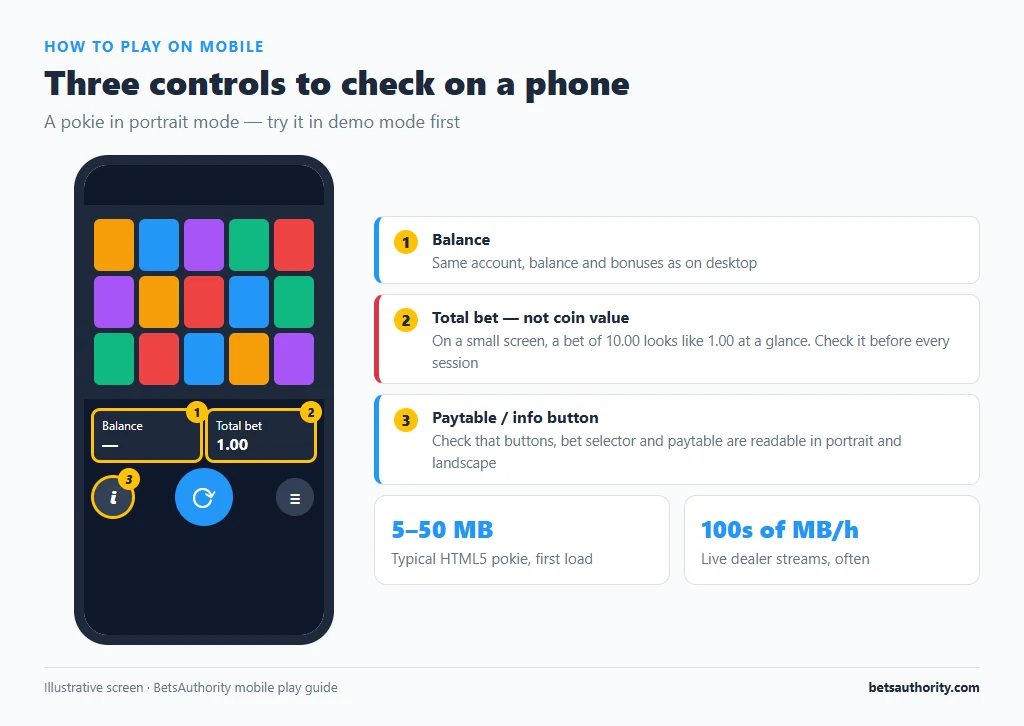
- Try a game in demo mode first. Check that buttons, bet selector and paytable are readable in portrait and landscape. Our demo play guide explains why this is worth doing before staking real money.
- Check the stake before every session. On a small screen, a bet of 10.00 looks like 1.00 at a glance. Confirm the total bet, not the coin value.
Data and Battery Use
Game sizes vary. A typical HTML5 pokie downloads from roughly 5 to 50 MB the first time, then loads mostly from cache. Live dealer streams use far more, often several hundred MB per hour depending on video quality. Many live games let you lower stream quality in settings. On mobile data, prefer pokies or table games over live streams, or switch to Wi-Fi. Gaming at high brightness can drain a battery quickly; low-power mode can reduce performance and cause lag in some games.
Security Habits on a Phone
- Use the phone’s screen lock, and set it to lock after a short idle time.
- Do not save casino passwords in a shared device’s browser. Use a password manager instead.
- Avoid public Wi-Fi for deposits and withdrawals.
- Turn off casino notifications if they prompt you to play more than intended.
- Our account security tips cover phishing and SIM-swap risks.
Common Problems and Fixes
A game freezes or shows a black screen
Close the tab, clear the browser cache for the casino site, and reopen the game. If a round froze mid-spin, the result is usually recorded on the provider’s server; check your game history before re-spinning. If the balance looks wrong, contact support with the time and game name.
“This game is not available on your device”
A small number of games, mostly older titles, are released for desktop only, and some are restricted by region or by the casino’s licence. Choose another game, or check whether the casino lists it under a mobile version with a different name.
The site keeps logging you out
Check that the browser is not set to block cookies or clear data on exit, and that private browsing is off. Some casinos log you out after 15 to 30 minutes of inactivity for security.
Live dealer stream lags or stutters
Lower the video quality in the game settings, switch to Wi-Fi, and close background apps. A lagging stream may cause you to miss the betting window, so wait for a stable connection before betting.
SMS verification codes do not arrive on your phone
Check signal, that your number is saved with +61, and that you have not blocked short-code SMS. Ask support to verify by email instead.
You play more on mobile than intended
Phones make gambling available everywhere. Use session-time limits and reality checks, and review our guide to time management. Remove the home-screen icon if it is a trigger.
More walkthroughs are in the how-to guides. If you are choosing where to play, our casino checklist covers mobile support as one of the checks.
Frequently Asked Questions
No. Most online casinos work fully in Safari or Chrome. A home-screen shortcut gives an app-like experience without a download.
Yes. It is one account, so balance, bonuses, limits and history are shared across devices.
A game’s RTP is set by the version the casino runs, not by the device. The same game at the same casino uses the same version on mobile and desktop.
Pokies typically use a few to tens of MB when first loaded and little after that. Live dealer games can use several hundred MB per hour.
It is as safe as desktop if your phone is updated, locked and on a trusted network, and you use the casino’s genuine site.
Adults 18+ only. Free support is available from Gambling Help Online on 1800 858 858.